

Target, date, monthly amount
Enter two and the third is calculated: (target − saved) ÷ months left. Change the date and watch the monthly amount move.
Savings goals
"I want to save more" is a wish. "RWF 100,000 on the 5th of every month until I have RWF 1,500,000 by next June" is a goal. Moneva does the arithmetic, checks it against your budget, and keeps you going with milestones and a streak.
What you get
Enter two and the third is calculated: (target − saved) ÷ months left. Change the date and watch the monthly amount move.
A contribution is a transfer, not an expense, so it never distorts your spending totals. Withdrawals are recorded the same way, honestly.
A fifteen-month goal is a long wait. Milestones mark the moments the plan is visibly working.
Consecutive periods with any contribution count. The streak pauses rather than shames you when a month is missed.
After every contribution the required monthly amount is recalculated, so the decision — raise the amount or move the date — is always in front of you.
Each member's contribution is recorded under their name, so "who still owes?" has an answer everyone can see.
On your phone
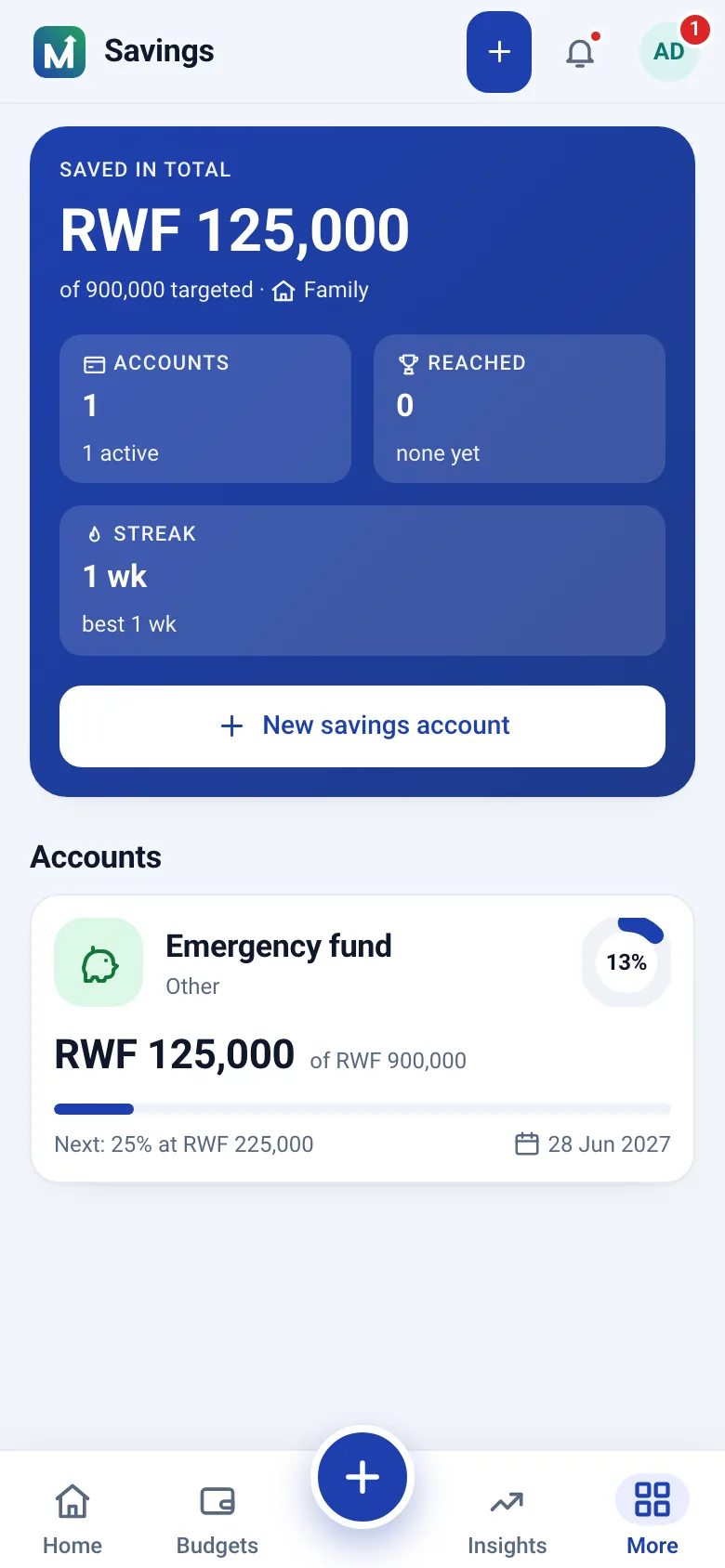
Savings opens on the total set aside across your active goals, the current and best streak, and each goal with its target, target date and number of contributions. A shared goal is marked as shared and records each member's contribution under their name.
Where is the money? With you. Moneva records the contributions you make to a bank account, a mobile wallet or a savings group; it does not hold or move funds. The app tracks progress; the money stays yours.
If you have no cushion at all, start with a small emergency fund — one month of essentials — before anything else. A single surprise expense will otherwise empty the motorcycle fund, and emptying a goal is the fastest way to stop believing in goals. After that, one priority goal and at most one secondary. Every goal page shows the required monthly amount and whether you are on track, so falling behind is visible early rather than at the deadline.
Questions
With you. Moneva records the contributions you make to a goal; it does not hold funds or move money between accounts.
From the amount still needed, the months left until the target date and your contributions so far. The required monthly amount updates as you save.
Yes. Withdrawals are recorded like contributions so the history stays honest and the progress bar reflects what is really set aside.
Create a free account, enter a target and a date, and see the monthly amount. Then check whether it fits your budget — honestly.
Install from your browser — no app store needed.