

Start from real income
Enter net income — what lands, not what is promised. Variable earners budget on the floor and treat the rest as a bonus to assign later.
For you
Most budgets fail by the second week because they were built for an imaginary month. Moneva helps you plan from the income that really arrives, set limits that fit how you live, and see what is left before you spend it — on your phone, in a few seconds a day.
Why it works
Enter net income — what lands, not what is promised. Variable earners budget on the floor and treat the rest as a bonus to assign later.
Give savings a fixed line right after essentials. Contributions are recorded as transfers, so they never look like spending.
Every month has a surprise. A buffer line absorbs it without breaking the plan — and a buffer used in full every month tells you which line is underestimated.
Block, warn or allow when a category runs out. Use block on the line that tempts you and warn everywhere else.
Quick add from any screen with a receipt photo when it matters. Refunds reduce the category they came from; reversals fix mistakes without deleting history.
Variance by francs and by percent, pace at mid-month, and a duplicate-for-next-month that keeps your lines and policies.
On your phone
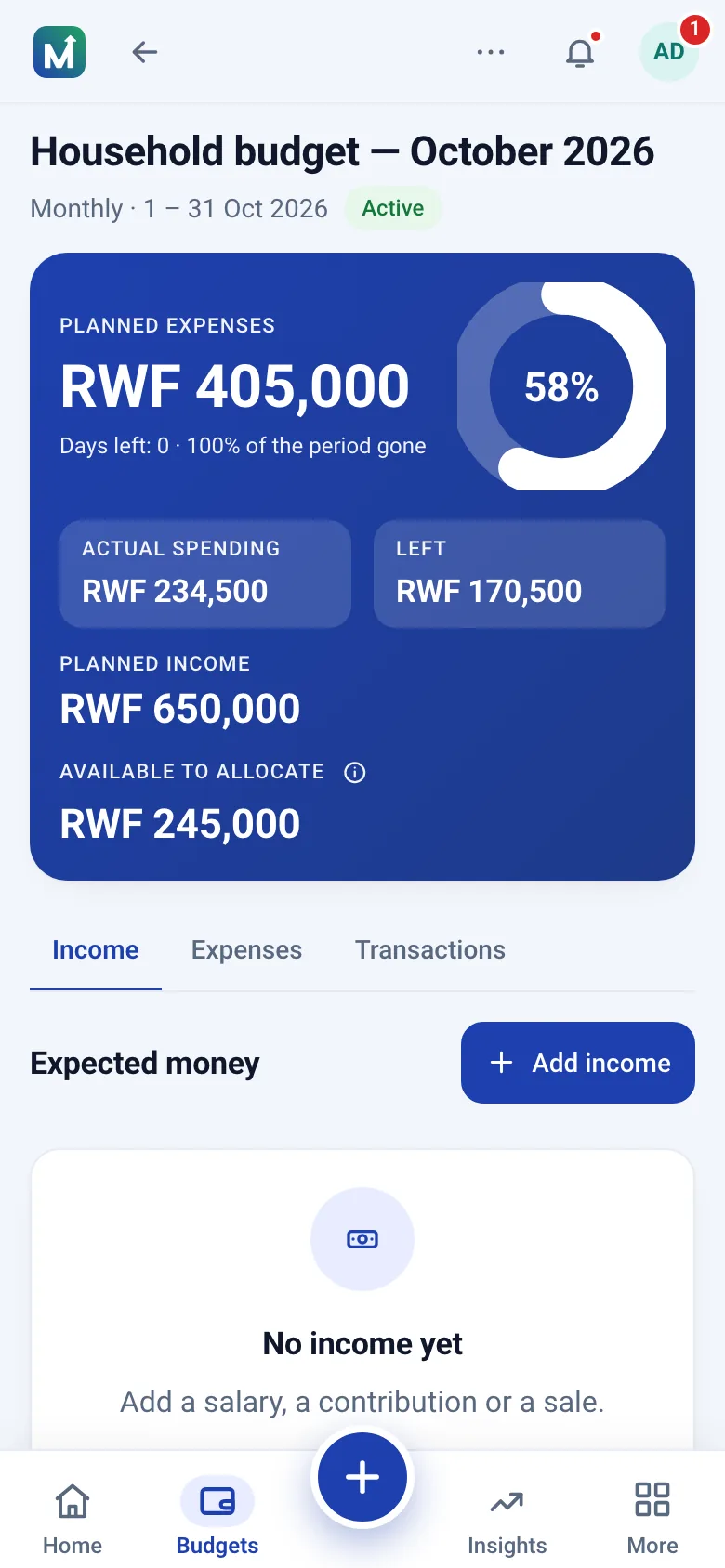
A budget opens on the amount still available, how much of the period has gone and where the month is heading at the current pace. Each line shows what was planned, what has been spent and what is left; the plan figures sit one tap away.
Your personal space is private. Nobody — not a household member, not a group — can see its budgets, income or transactions. Shared money lives in shared spaces, where you decide what goes in.
Net income RWF 460,000. Essentials — rent 150,000, electricity and water 25,000, groceries 95,000, transport 30,000, phone 12,000, health 10,000 — come to RWF 322,000, or 70 percent. Savings of RWF 46,000 (10 percent) go next, leaving RWF 92,000 for eating out, family support, personal spending and a RWF 17,000 buffer. Every franc has a job; the buffer makes the plan survive the first surprise.
The three mistakes that make budgets fail — planning from hoped-for income, forgetting the irregular bills and leaving no buffer — are the ones the planner asks about before you start. If spending keeps escaping the plan, the Insights page shows which habits are behind it.
Questions
About ten minutes. Pick a template, enter your expected income, adjust the category amounts and activate the budget.
You choose the policy per budget: block the expense, warn you, or allow it. The line shows as over budget either way, so nothing is hidden.
Yes. Your personal space is yours alone. Nobody else can see its budgets, income or transactions unless you invite them.
Create a free account, pick the personal template and enter the income you can count on. The rest follows.
Install from your browser — no app store needed.