

A feed of actions
"Grace contributed to the equipment fund." "Yves closed October on budget." Members see that things are happening. Amounts appear only if the owner turns them on and the viewer has permission.
For teams and groups
Savings groups, small teams, friends with a shared target: people keep money habits far longer when someone else can see they are keeping them. Moneva makes that visible — the action, not the amount — and adds challenges, streaks and badges for those who want them.
What a group gets
"Grace contributed to the equipment fund." "Yves closed October on budget." Members see that things are happening. Amounts appear only if the owner turns them on and the viewer has permission.
A no-spend week, four weeks of contributions, a month of same-day recording. Join, see who else is in, complete it together.
XP, levels and badges reward consistency, not size. Turn gamification off for yourself or for the whole space; budgeting works the same.
Celebrate a milestone or ask a question on an activity. Block a member or report a comment if something goes wrong; reports go to the moderation team.
One target, many contributors, each contribution under its owner's name. Progress is visible to the group; nobody has to ask who still owes.
Personal spaces are never visible to a group. Members choose what to share; owners choose what the feed shows.
On your phone
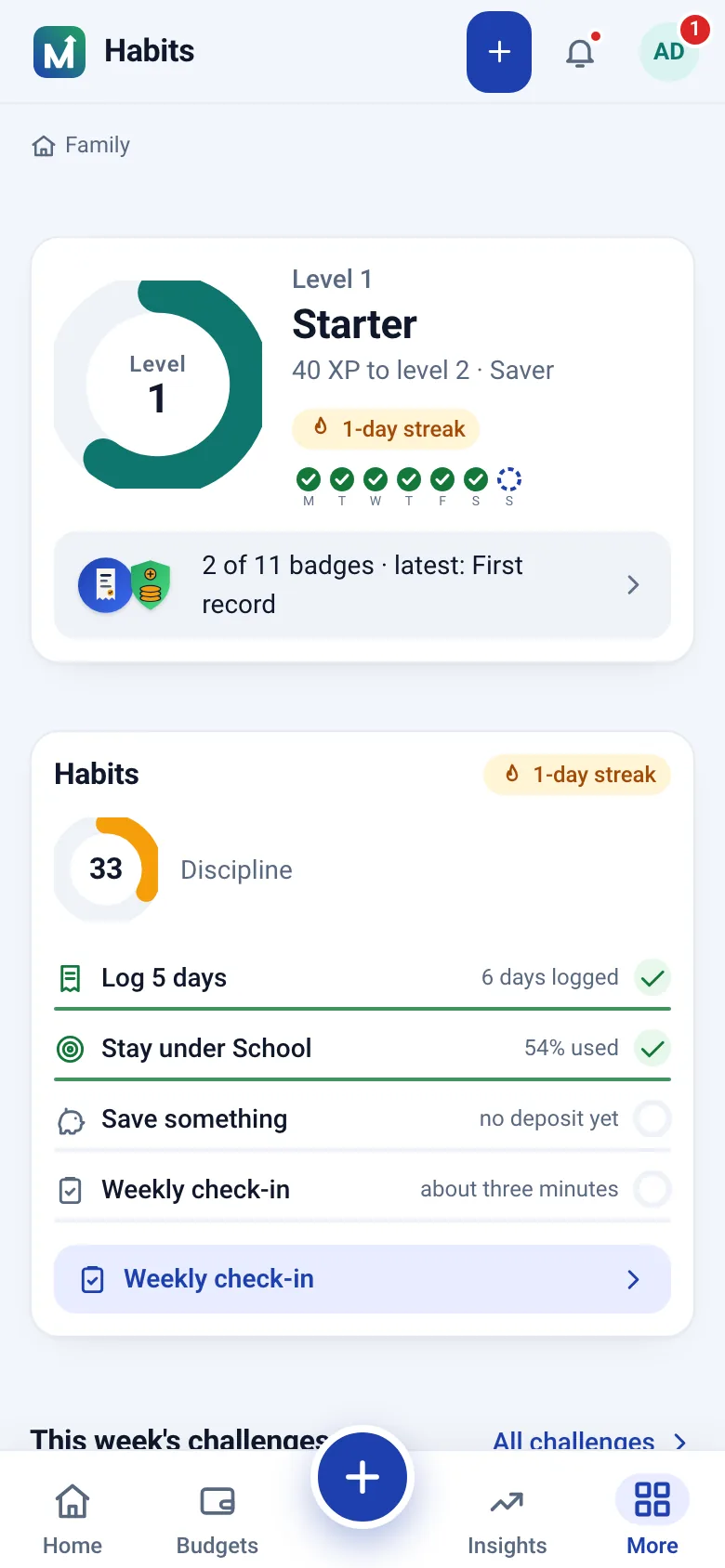
The Habits screen shows the week's four goals — log five days, stay under one line, save something, do the weekly check-in — the discipline score, the challenges running this week and templates to start one.
A church fellowship with a monthly fund, a sports club buying equipment, a cooperative's running costs, a small business with three people and one till: group spaces give each a shared budget with an approver, line owners and an audit history, without the cost or weight of accounting software. Contributions are recorded as income, spending against lines, and large payments through expenditure requests that commit the money before it leaves. See project budgeting when the work has phases and milestones; a one-off event is the same space with a single short budget.
Treat other members with respect; the terms of service set out what is not allowed in shared spaces, and blocking and reporting are always available.
Questions
Not unless the space owner turns on amounts in the feed and the viewer has permission. By default the feed shows actions, not figures.
Yes. Gamification is optional per person and per space; the budgeting features work exactly the same without it.
You can block a member, report a comment, or leave the space. Reports go to the moderation team.
Create a free account, start a group space and invite the people who keep you honest. Actions, not amounts, by default.
Install from your browser — no app store needed.